Live on Chrome Web Store · v2.4.0

Your browser
tabs,
organised by AI.

Shelf Nest watches what you're browsing and automatically groups related tabs together — by topic, project, or context. No dragging. No naming. Just open tabs and watch the chaos turn into clarity.

⚡ No login required 🔒 No browsing data stored ✦ Free forever tier
Gmail
Notion
YouTube
Figma
Drive
Linear
Work
Gmail
Drive
Projects
Notion
Linear
Media
YouTube
Design
Figma
10
Free groups/day
0
Logins required
100+
Tabs handled
GPT-4o
AI engine

Everything your browser tabs need

Built around one core idea: your tabs should organise themselves.

🧠
AI-Powered Auto-Grouping

Click once and AI reads your tab titles and URLs, then creates intelligent groups by topic — work, research, shopping, social, and more. No configuration needed.

✏️
Instant Relabeling

Not happy with a group name? Tap it and get AI-generated alternative names in seconds. Accept or type your own. Chrome tab groups updated live.

🎯
Focus Mode

Collapse all tab groups except the one you're working in. Stay locked in without closing anything. One click to re-expand everything when you're done.

📦
Archive as Markdown

Turn a tab group into a clean Markdown file with all titles and URLs. Close the tabs, keep the links. Pro feature — perfect for research sessions.

Works Without Login

Install and use immediately. The free tier gives you 10 group operations per day with zero sign-in friction. Your device ID is all that's needed to track usage.

🔒
Privacy First

Tab titles and URLs are sent to AI for grouping only — never stored on our servers. We never read page content, only the tab metadata you see in your browser.

Three clicks to a tidy browser

No setup, no accounts, no config. Install and go.

1
Install from Chrome Web Store

One-click install. The extension is live immediately — no account, no onboarding, no permissions beyond what Chrome tab groups require.

2
Click the Shelf Nest icon

Open the popup and hit "Organise Tabs". AI reads your open tabs, clusters them by topic, and applies Chrome tab groups in seconds.

3
Enjoy a clean browser

Collapse groups you're not using. Relabel any group you don't like. Use Focus Mode to work without distractions. Repeat daily — the habit pays off.

From tab chaos to clarity

Real screenshots of what Shelf Nest looks like — and what it does.
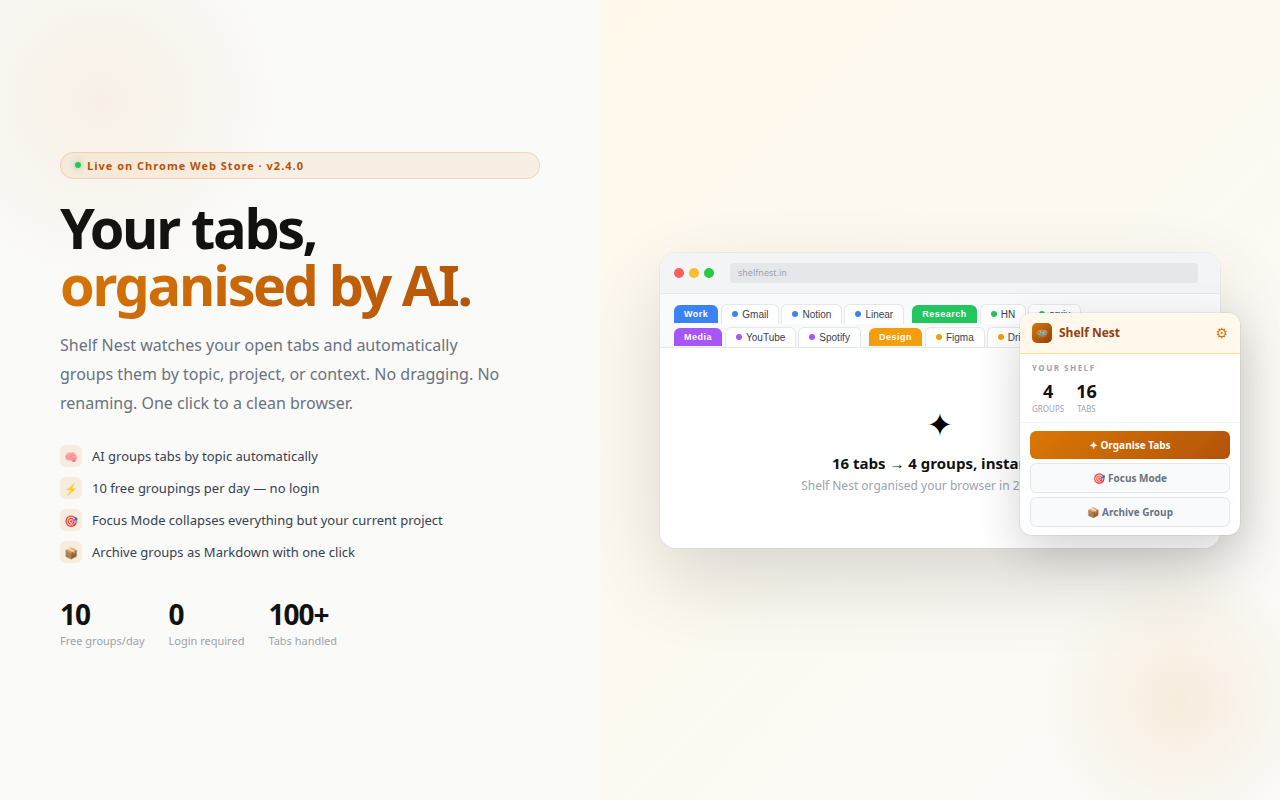
Shelf Nest — hero popup with tab groups
01

One popup. One click. Done.

Shelf Nest lives in your Chrome toolbar. Open it, hit "Organise Tabs" — AI reads your open tabs, clusters them by topic, and creates colour-coded Chrome tab groups in seconds. The popup shows your current groups and gives you Focus Mode and Archive in one place.
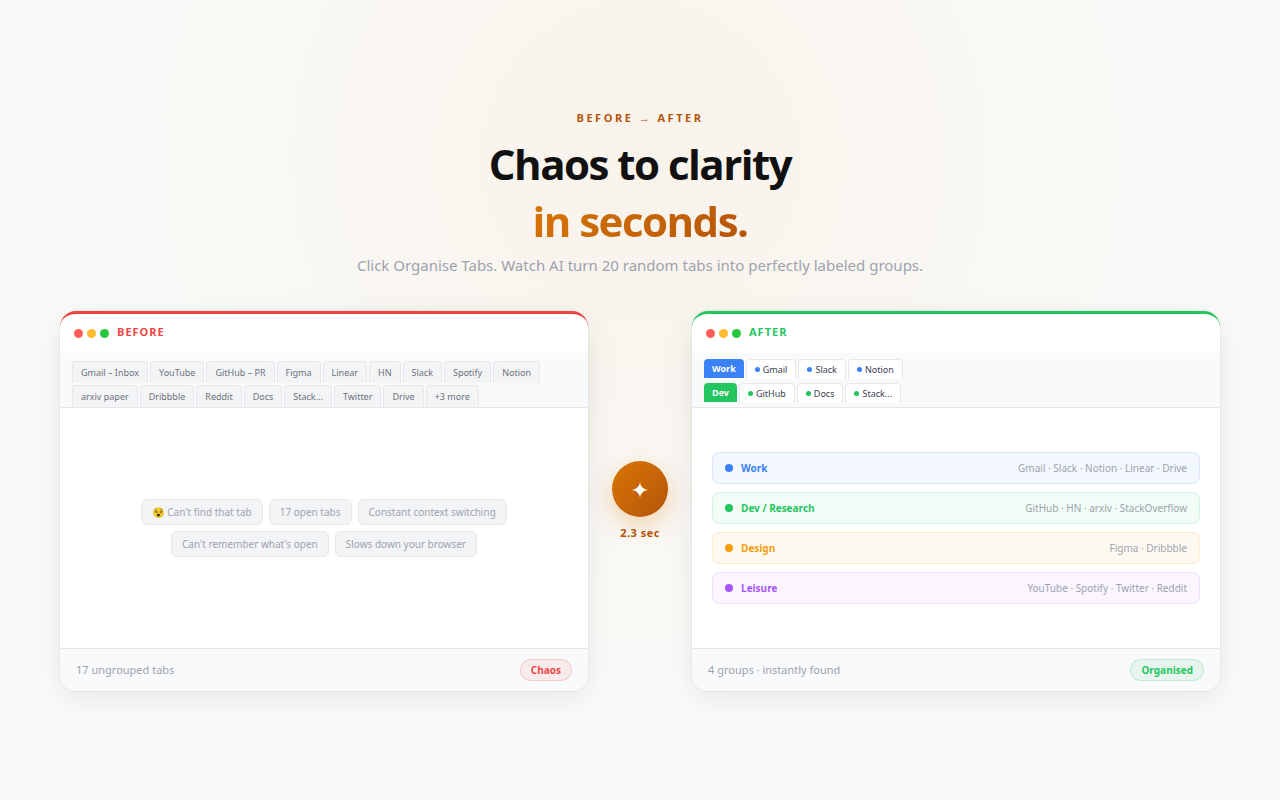
Shelf Nest — before and after tab organisation
02

17 random tabs → 4 neat groups

Before: Gmail, YouTube, GitHub, Figma, Linear, Slack, Notion, arxiv — all loose tabs you can't find. After: Work, Dev, Design, Leisure — each group colour-coded and collapsible. Same tabs, zero friction.
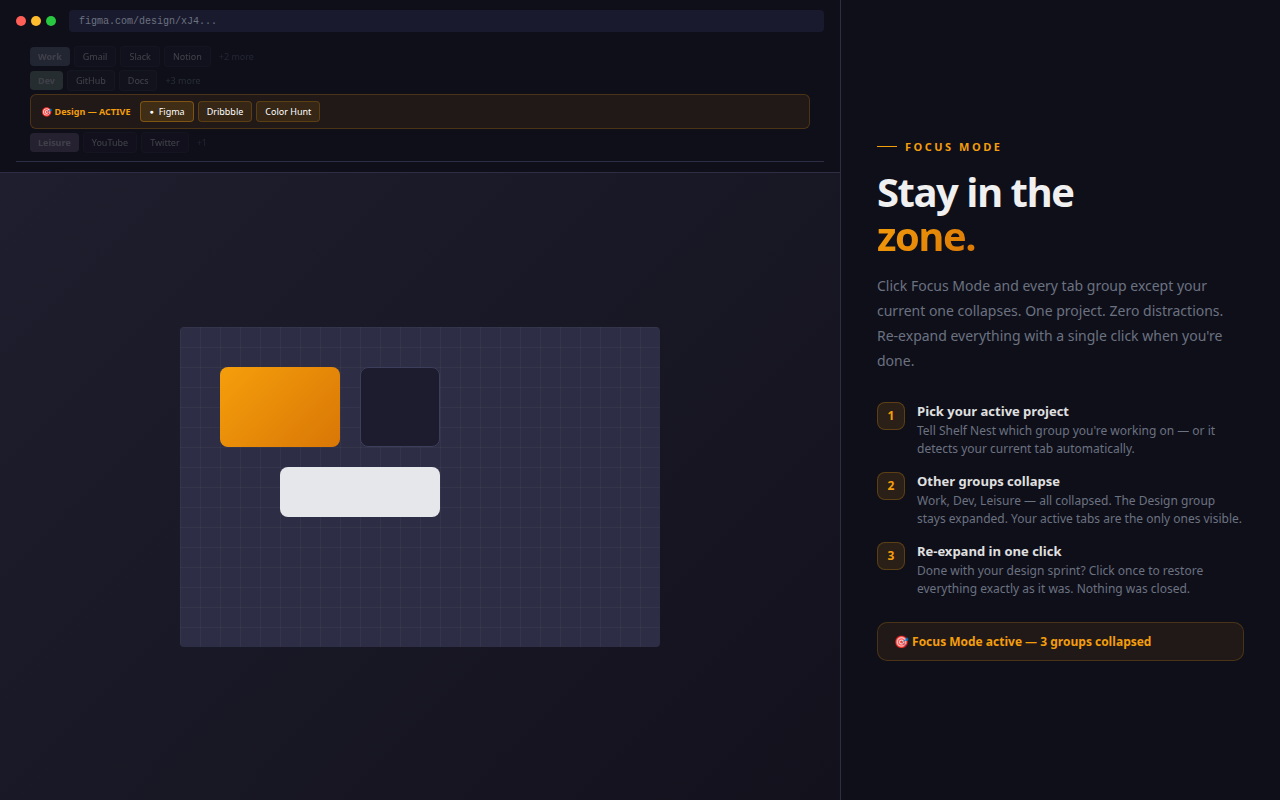
Shelf Nest — Focus Mode collapses other groups
03

Focus Mode — collapse everything else

Working in Figma? Activate Focus Mode. Every tab group except Design collapses — Work, Dev, Leisure are gone from view but not closed. When you're done, one click restores everything exactly as you left it.

Start free. Upgrade when ready.

The free tier is genuinely useful — not a teaser. Upgrade when the value is obvious.

Free
₹0 / forever
No login required. Start in 10 seconds.
  • 10 AI tab groupings per day
  • AI-suggested group names
  • Relabel any group
  • Focus Mode
  • Archive as Markdown
  • Unlimited groupings
Get Started Free
Annual
$12 (₹999) / year
2 months free vs monthly billing.
  • Everything in Pro
  • 2 months free savings
  • Priority support
  • Early access to new features
  • Cancel anytime
Get Annual

Common questions

Do I need to log in to use Shelf Nest?
No. The free tier works with a random device ID stored in your browser — no Google account, no email, no password. Just install and use. Sign in only if you want to upgrade to Pro.
Can Shelf Nest see my browsing history or page content?
No. Shelf Nest only reads the tab titles and URLs that are currently open in your browser. It never accesses your browsing history, page content, cookies, or any other browser data. Tab titles and URLs are sent to our AI API to generate group names and immediately discarded — never stored.
What happens when I hit the 10/day free limit?
You'll see a usage bar in the popup showing how many groupings you have left. When the limit is reached, it resets at midnight. You can upgrade to Pro for unlimited groupings at any time.
What AI model does Shelf Nest use?
Shelf Nest uses GPT-4o via the OpenAI API. The model sees only your tab titles and URLs — not any page content. Responses are typically returned in under 2 seconds.
Can I cancel my Pro subscription?
Yes, anytime. Your Pro access continues until the end of the billing period. Refunds are available within 7 days of purchase if the extension doesn't work as described.

Clean browser.
Calmer mind.

Install Shelf Nest for free and see the difference in your first session.

Add to Chrome — Free

No login · No credit card · Free forever tier