Plain Markdown · v1.1.0

Save the web as
Markdown notes
you own.

Right-click any page, PDF, or image — Graft writes a complete, auto-linked Markdown note to a folder on your disk. Frontmatter, [[wikilinks]], backlinks, the works. Open the folder in Obsidian, Logseq, VS Code, or any text editor. Your knowledge, your files, your format.

📄 Plain Markdown to disk 🔮 Obsidian · Logseq · VS Code ready 🛡️ Your files, your machine
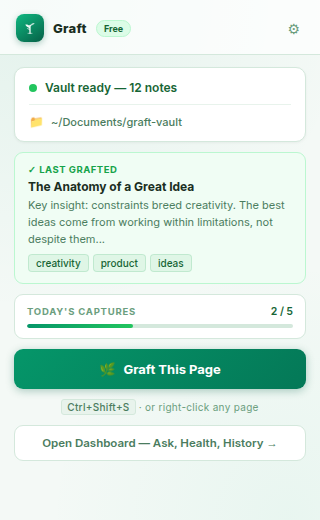
Graft popup — AI Knowledge Base
Local
Data storage
0
Cloud uploads
5
Free captures/day
AI
Q&A over your notes

Everything you've read, always findable

Capture once. Ask anything. Your knowledge, searchable with AI.

📋
One-Click Capture

Click the Graft icon on any page, use the keyboard shortcut Ctrl+Shift+G, or right-click → "Graft This Page". The page is extracted, summarised, and saved to your vault instantly.

💬
AI Q&A Over Your Vault

Ask questions across your entire knowledge base. "What did that article say about indexing strategies?" or "Summarise everything I've read about React" — answered from your saved notes.

🔗
Smart Wikilinks

Standard+ plans auto-generate [[wikilinks]] between notes when capturing — connecting related ideas across your vault automatically, like a personal Wikipedia.

🖥️
100% Local Storage

Your knowledge base lives in a folder on your own computer — not in any cloud. Choose any folder you want. Access it directly in Markdown. Own your data completely.

No Login Free Tier

7 days of unlimited use when you install — no login required. After the trial, sign in with Google to keep going.

🔁
Intelligent Merge

Capture the same page twice? Graft detects existing notes and merges new information in rather than creating duplicates — keeping your vault clean automatically.

🔐
Your notes never leave your device

Graft stores everything in a folder on your own hard drive — a real directory of Markdown files you can open, edit, and back up yourself. Only the page content you're actively capturing is sent to our AI for summarisation, and it's immediately discarded after processing. No cloud vault, no syncing your notes to our servers, ever.

Build your brain in 3 steps

No setup wizards, no config files. Just pick a folder and start capturing.

1
Install & pick a folder

Install Graft and choose any folder on your computer as your knowledge vault. Graft creates a clean Markdown structure inside it — nothing else changes on your machine.

2
Capture pages as you browse

Click the Graft icon or press Ctrl+Shift+G on any page. AI extracts the key content, writes a summary, tags it, and saves it as a Markdown file in your vault — in seconds.

3
Ask your knowledge base anything

Open the Graft dashboard and ask questions across all your saved notes. It reads your vault, finds the relevant material, and answers in natural language with source references.

Every screen, explained

A complete look at what Graft gives you — from capture to insight.

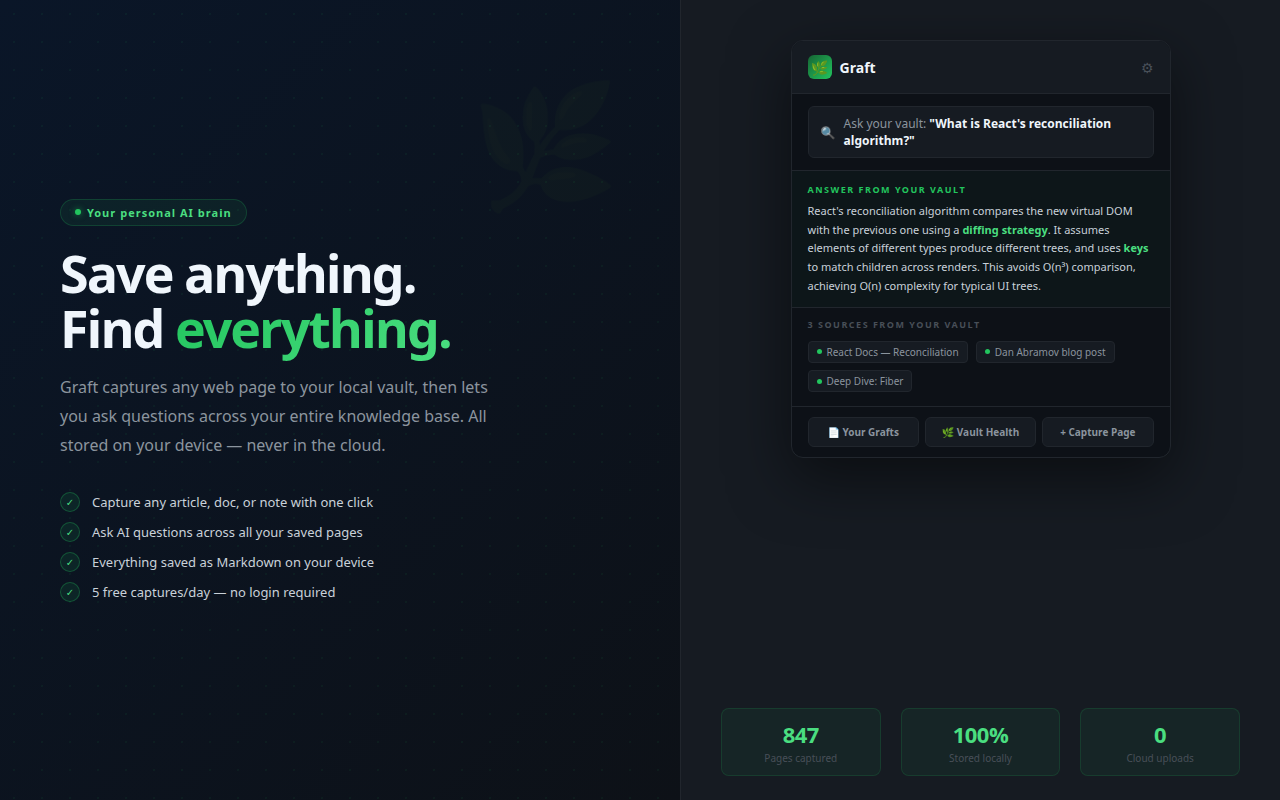
Graft — Ask your vault
01

Ask your entire knowledge base

Type any question — Graft searches across every page you've ever captured and returns a synthesised answer with citations. "What did I read about React reconciliation?" answered from your own notes in seconds. Prefer your own RAG plugin? The vault is plain Markdown — Smart Connections (Obsidian), Logseq Copilot, and any other Markdown-aware tool work on the same files.

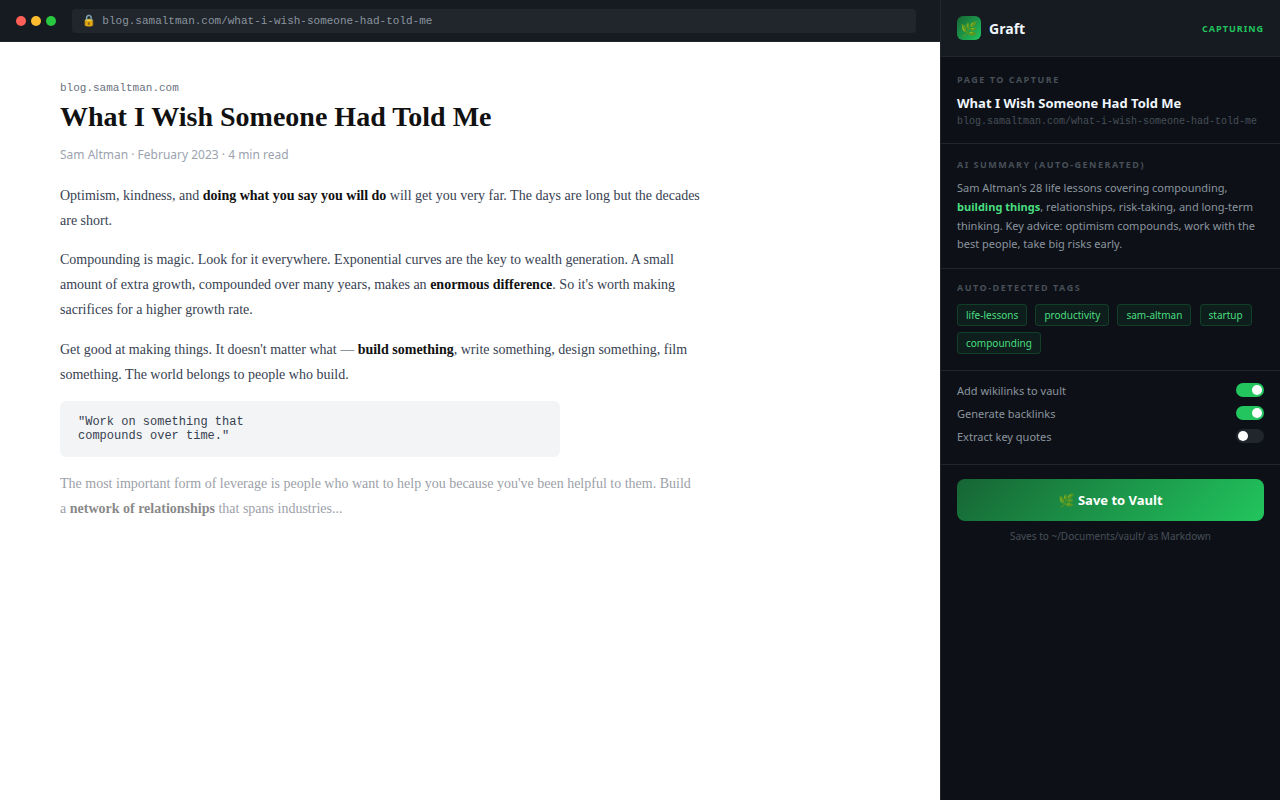
Graft — Capture any page
02

Capture any page in one click

Click Graft, hit Save to Vault — the page title, URL, and full text are saved as a Markdown file on your device with an AI-generated summary and auto-detected tags. Right-click on any page for even faster capture.

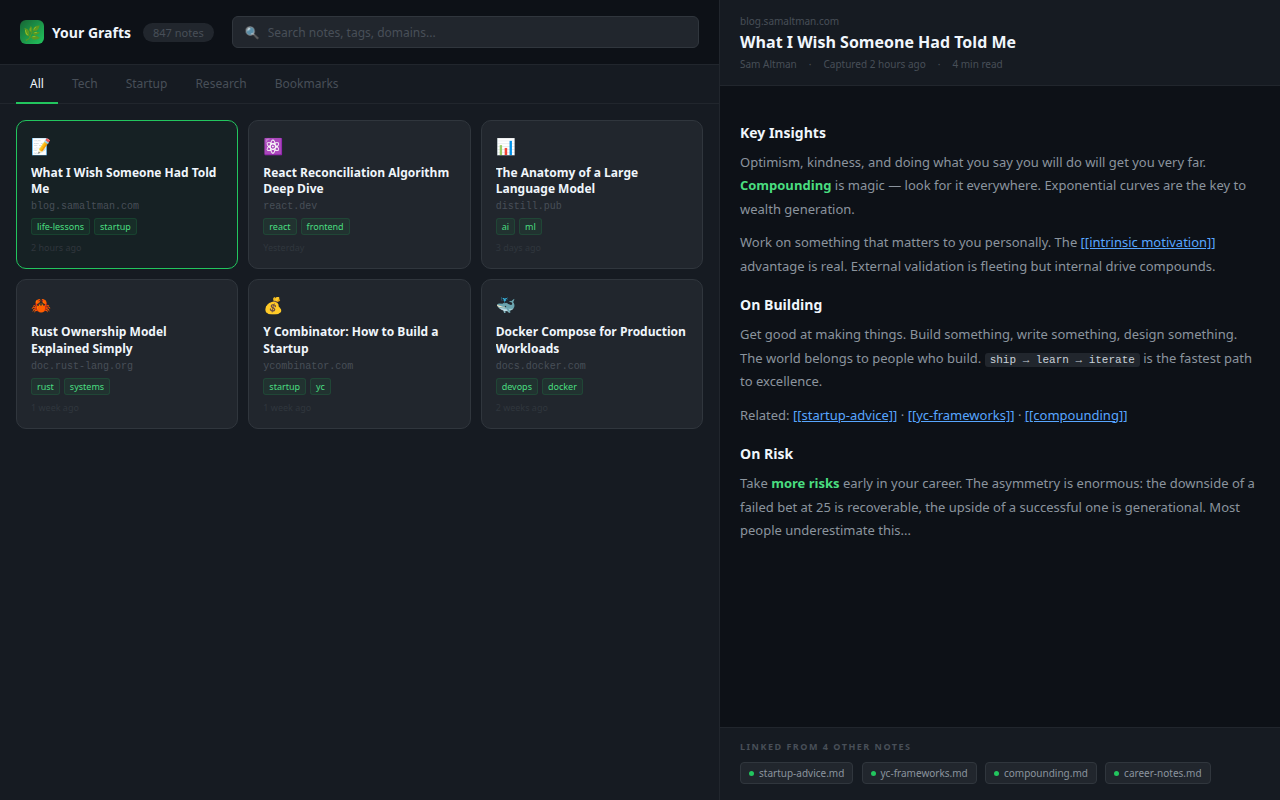
Graft — Your saved notes vault
03

Browse and read your vault

Every captured note is searchable by tag, title, or domain. Click any note to read it in full with wikilinks to related pages. Your entire reading history — organised, connected, and readable without leaving the browser.

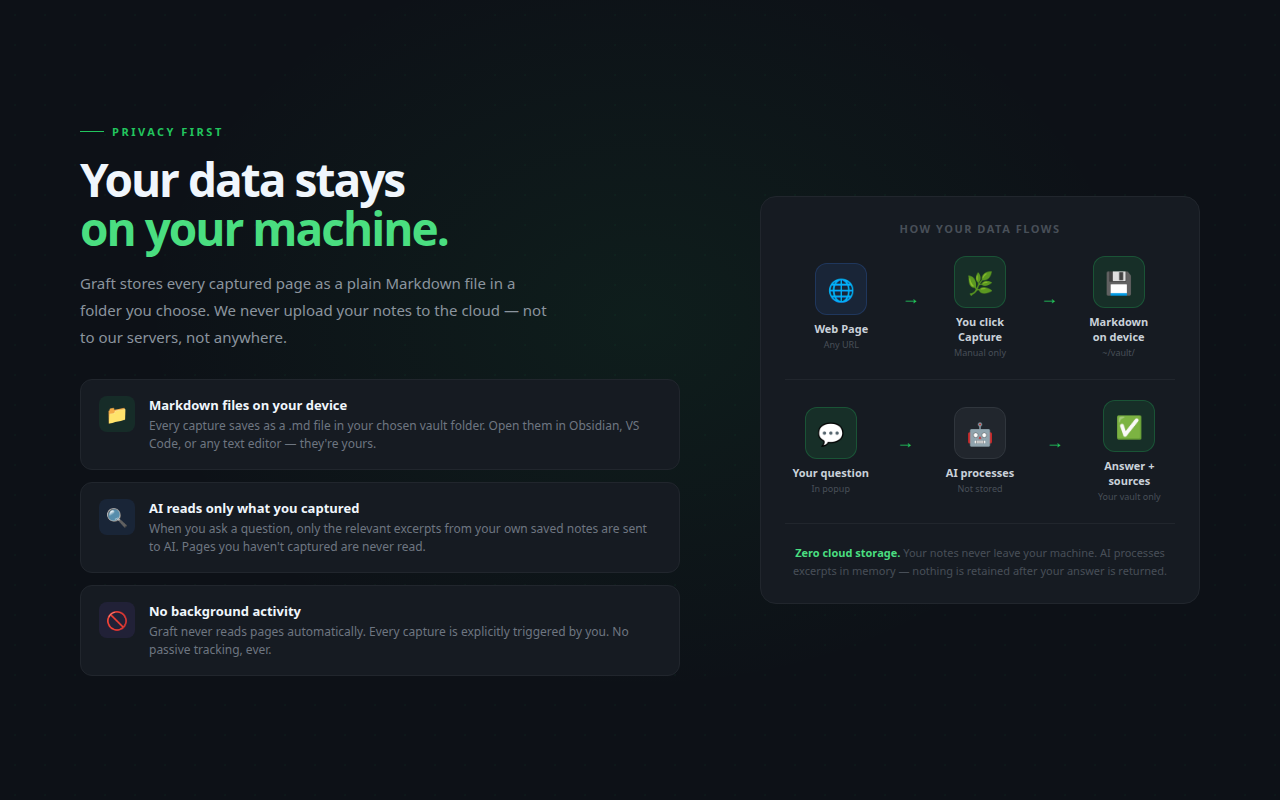
Graft — Privacy, data stays local
04

100% local. Zero cloud storage.

Every note is a plain .md file in a folder you choose — never uploaded, never synced. To be transparent: source content transits the LLM during capture, note chunks are sent for embedding (vectors return to your local IndexedDB), and top-matched chunks are sent during chat. None of this is retained server-side. No background scanning. No content analytics.

Start free. Grow your brain.

Free tier is real — not a teaser. Upgrade when your vault gets serious.

Free
₹0 / forever
No login. Works from install. Truly free.
  • 7-day free trial (unlimited)
  • AI summaries + tags
  • Local Markdown vault
  • AI Q&A over your vault
  • Wikilinks between notes
  • Unlimited captures
Get Started Free
Pro
$15 (₹1,249) / month
For teams and serious knowledge builders.
  • Everything in Standard
  • Deeper cross-link analysis
  • GPT-4o for all captures
  • Vault health analytics
  • Priority AI processing
  • Priority support
Get Pro

Common questions

Do I need to log in to use Graft?
Not for the first 7 days. Every new install gets a 7-day unlimited trial tracked by device ID — nothing to set up, nothing to log in. After the trial, sign in with Google to keep capturing.
Where does my data go?
Your knowledge base is stored as Markdown files in a folder on your own computer — wherever you choose. Nothing is synced to our servers. Only the active page content is sent to our AI during capture, then immediately discarded.
What format are my notes stored in?
Plain Markdown (.md) files. You can open them with any text editor, Obsidian, Notion, or any Markdown-compatible tool. Your notes are portable and readable without Graft.
What are Wikilinks?
When capturing a page, Graft scans your existing vault and automatically adds [[wikilinks]] to related notes — the same syntax used by Obsidian and Roam. Standard and Pro plans generate these automatically during capture.
Can I use Graft with Obsidian?
Yes. Just point Graft to your Obsidian vault folder. Graft writes Markdown files with frontmatter, tags, and wikilinks that Obsidian reads natively. They work seamlessly together.

Stop losing
what you've read.

Build your knowledge base today — files on your disk, format you own.

Add to Chrome — Free

No login · Local storage · 7-day free trial